
Build Logs · Aug 16, 2026 · 3
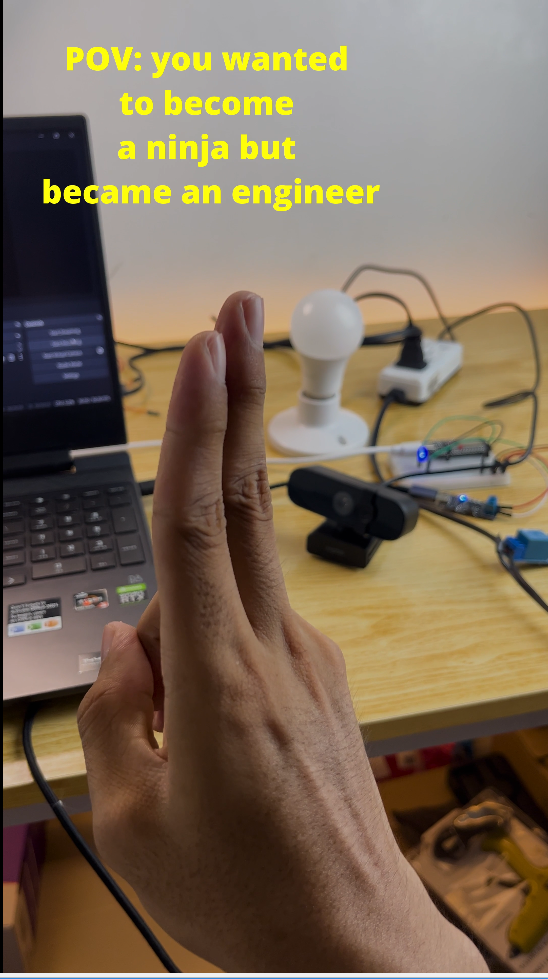
I made Anime Hand-Signs Control My Lights
I made Anime Hand-Signs Control My Lights
Anime Hand Sign Gesture Recognition
Real-time hand gesture recognition using MediaPipe hand landmarks and a scikit-learn classifier, trained on custom anime-style hand signs for triggering device actions.
Files
| File | Purpose |
|---|---|
trainer.py | Collects labeled hand landmark data via webcam → saves to gesture_landmarks.csv |
Anime_Handsigns.ipynb | Trains a classifier on the CSV data → outputs gesture_classifier.joblib |
sign_recognizer.py | Runs real-time inference using the trained classifier |
gesture_classifier.joblib | Pre-trained model (included) |
Quick Start & Setup
1. Environment & Dependencies
Windows Command Prompt / PowerShell:
cmdpython -m venv .venv
.venv\Scripts\activate
pip install -r requirements.txt
2. Download the Hand Landmarker Model
Windows (PowerShell):
powershellcurl -o hand_landmarker.task https://storage.googleapis.com/mediapipe-models/hand_landmarker/hand_landmarker/float16/1/hand_landmarker.task
macOS / Linux:
bashwget -q https://storage.googleapis.com/mediapipe-models/hand_landmarker/hand_landmarker/float16/1/hand_landmarker.task
Usage
Option A — Use the pre-trained classifier
bashpython sign_recognizer.py
⚠️ Works best on front-facing shots where the camera sees the full hand and fingers — not trained on all angles.
Press q or ESC to quit.
Option B — Collect your own data & retrain
- Collect landmark data:
bashpython trainer.py
Press number keys (1–8) to toggle recording for each gesture, 0 for "none". Landmarks are appended live to gesture_landmarks.csv. Press q or ESC when done.
Default gesture map (edit GESTURE_KEYS in trainer.py to customize):
| Key | Label |
|---|---|
| 1 | simple_jutsu |
| 2 | spider_man |
| 3 | pinky_promise |
| 4 | fist |
| 5 | kon |
| 6 | knife |
| 7 | O |
| 8 | call |
| 0 | none |
-
Train the classifier: Open
Anime_Handsigns.ipynband run all cells. Outputs a newgesture_classifier.joblib. -
Run inference:
bashpython sign_recognizer.py
Optional: Sample training data
📁 Training data (Google Drive)
How It Works
- Landmark normalization: wrist-relative coordinates scaled by the farthest landmark distance, so gestures are recognized regardless of hand position or distance from camera.
- Confidence threshold: predictions below
CONFIDENCE_THRESHOLD(default0.65) are treated as "unsure." - Hold-to-confirm: a gesture must hold for
HOLD_FRAMES_REQUIRED(default3) frames before triggeringon_gesture_confirmed()insign_recognizer.py— wire your device action there.